PHIZZ, TeeJee and Spektra-5000 join three new engines — Macro, Resonate and Texture — as external plugins for MPC standalone hardware. Copy one folder to a USB drive, switch on External Plugin Support, and the instrument appears in the MPC's plugin browser: playable from the pads, sequenceable, and editable page by page with the Q-Link knobs.
Six instrumentsPricing lands with the store opening — the launch email has it first.
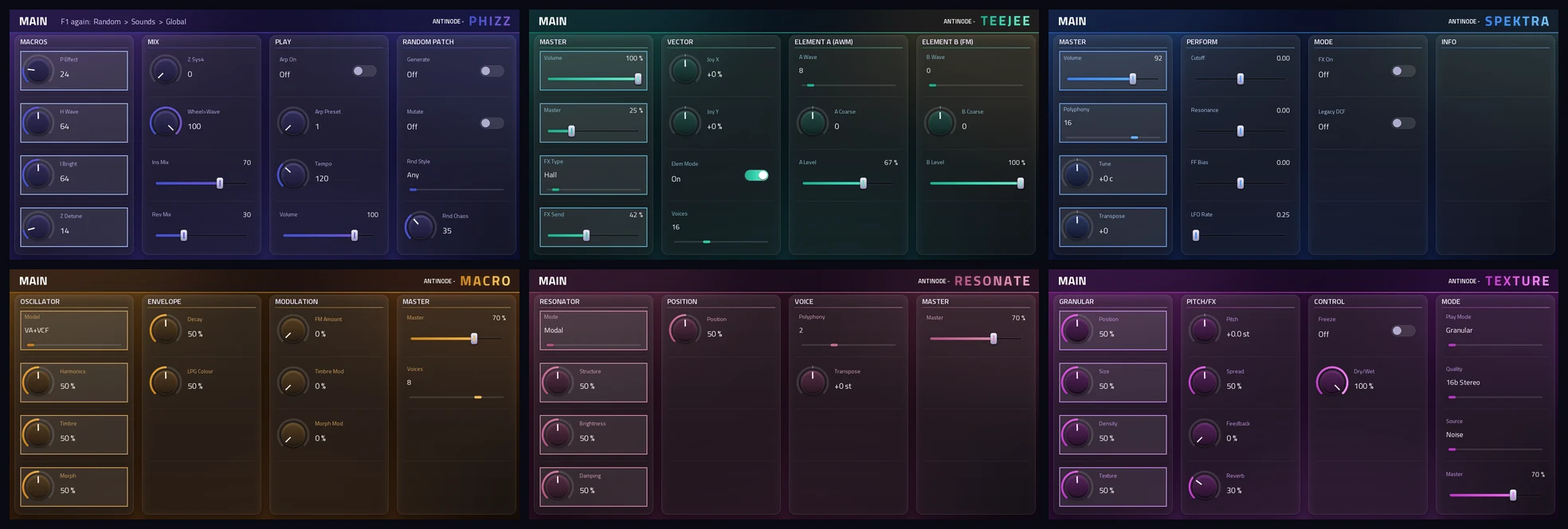
All six instruments on the MPC touchscreen — one accent colour each, matching the desktop line
PHIZZ
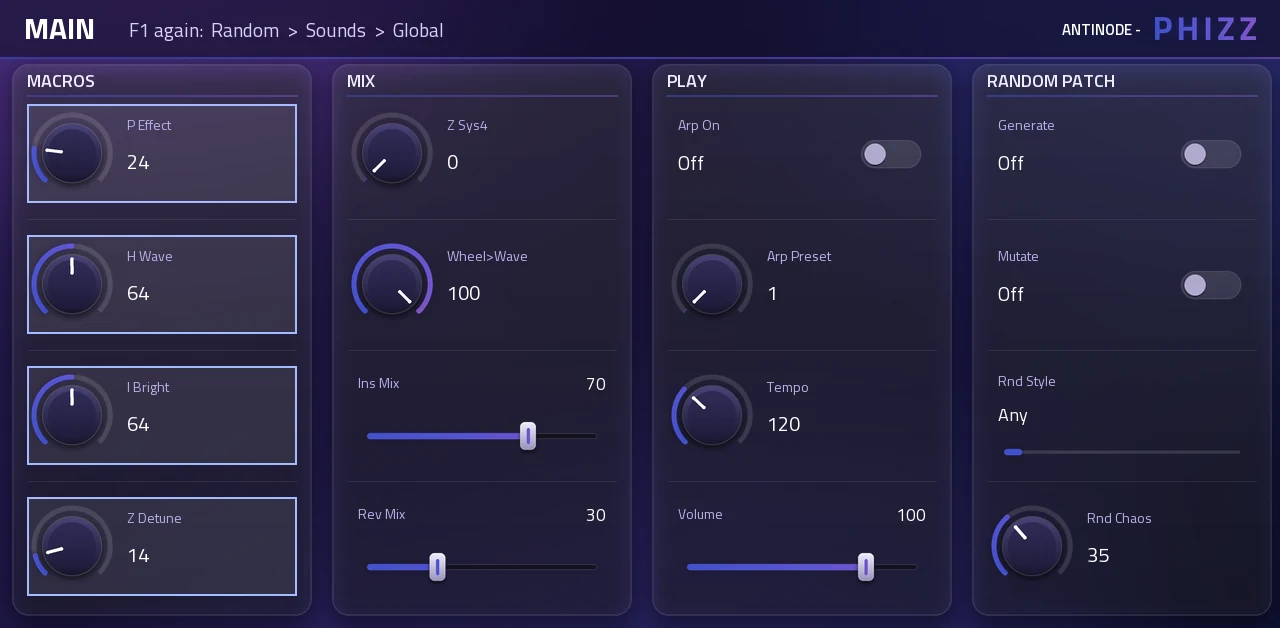
The Fizmo engine — four sounds of two transwave oscillators each, the ZDF ladder filter, effects and arpeggiator — rebuilt as an MPC plugin. Its 154 parameters are laid out across 31 pages mapped to the Q-Link knobs, with a Generate control on the main page that builds a random patch in about a tenth of a second.
Main page on the MPC touchscreen
Engine
Ensoniq Fizmo transwave architecture, as the desktop PHIZZ
Parameters
154, across 31 pages mapped to Q-Links
Patch generation
Generate (random patch) on the main page, ~0.1 s
First load, measured on MPC Key 61
about 4 seconds
TeeJee
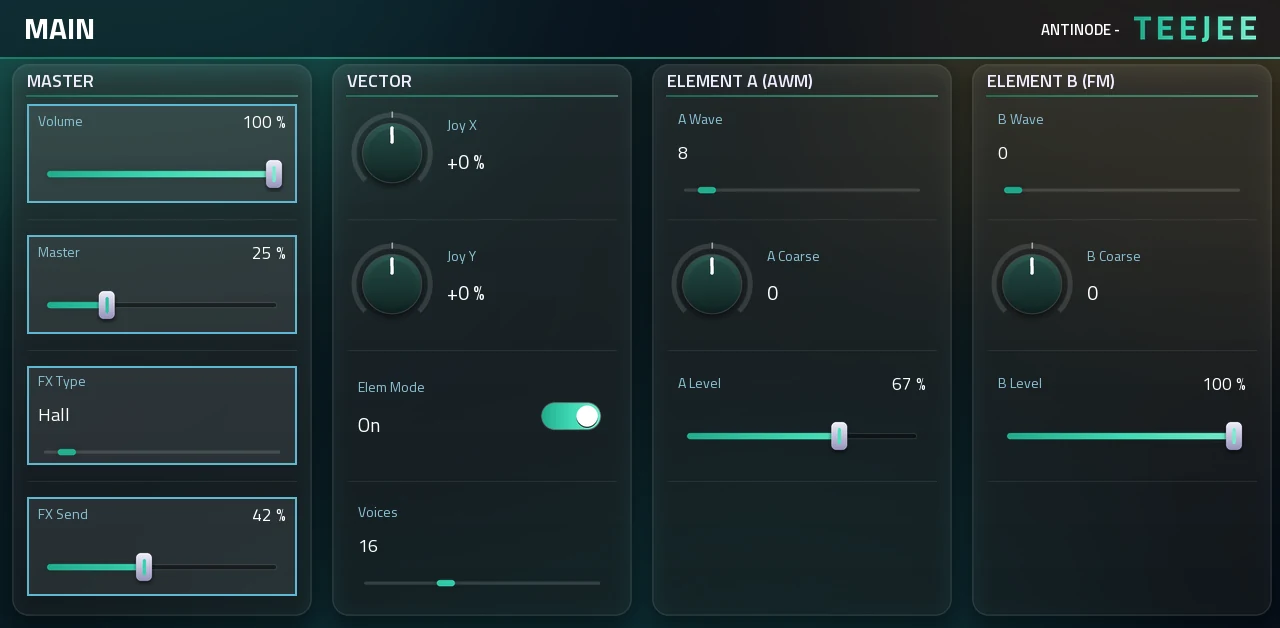
TG33 vector synthesis on the MPC. Four elements mix under a two-axis joystick — here two Q-Link knobs standing in for X and Y, live on CC 16 and 17 so you can record the vector move into the sequencer. The 52 factory presets come from the desktop TeeJee.
Main page on the MPC touchscreen
Engine
Yamaha TG33 vector synthesis, as the desktop TeeJee
Parameters
46
Vector joystick
X/Y on two Q-Link knobs, CC 16 / CC 17, recordable
Factory presets
52
Spektra-5000
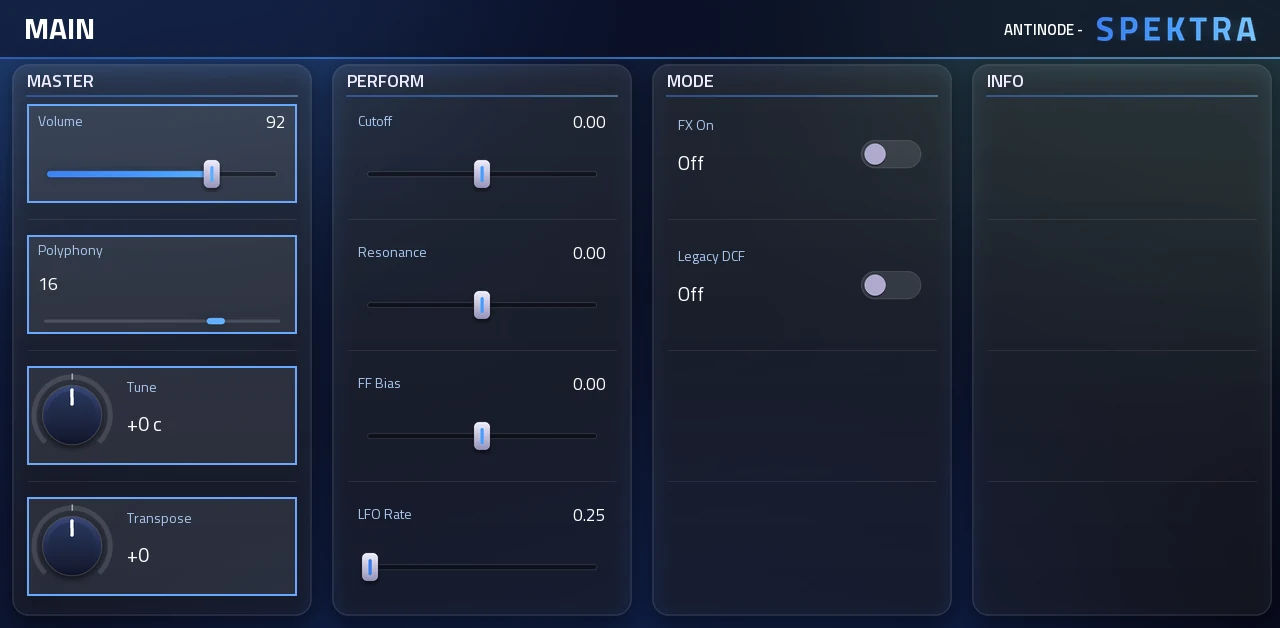
K5000-style additive synthesis on the same engine as the desktop Spektra-5000, plus a random-patch generator. Every K5000 wave slot is covered by spectrum-matched stand-in cycles — CC0-licensed source, no Kawai data ships. Harmonic editing fits the Q-Links page by page.
Main page on the MPC touchscreen
Engine
Kawai K5000-style additive + PCM sources, as the desktop Spektra-5000
Waves
All K5000 wave slots mapped to stand-in cycles (CC0 source, spectrum-matched); no Kawai ROM data
Parameters
21
Factory presets
48
Extras
Random-patch generator
Macro
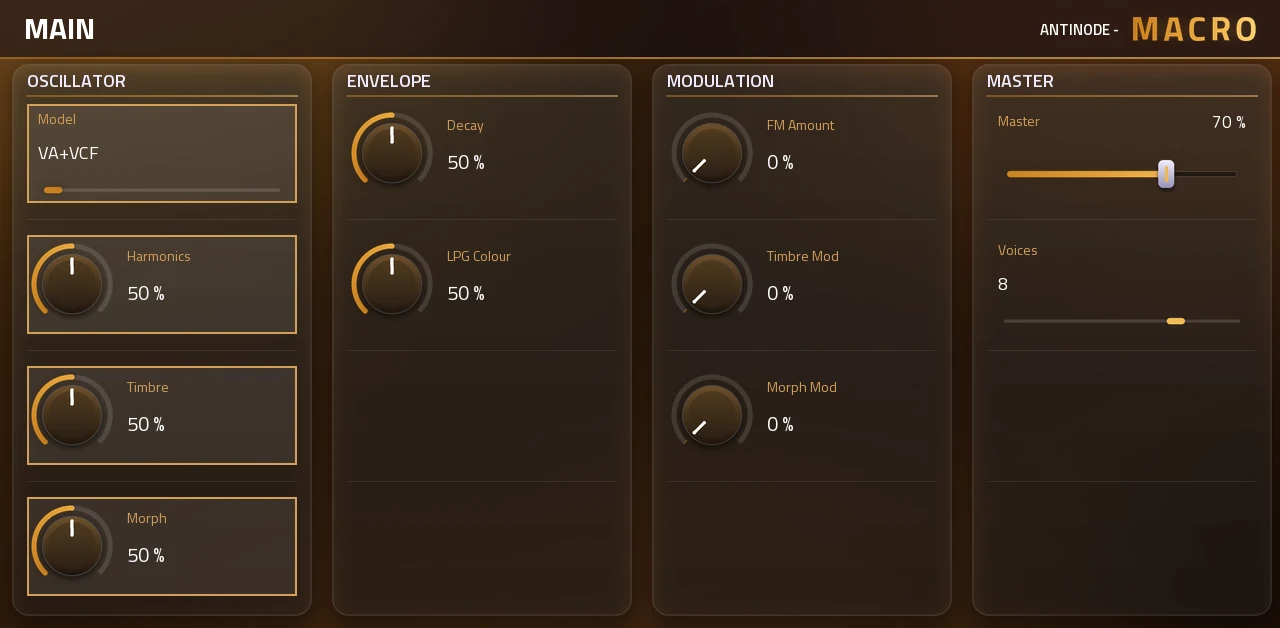
One oscillator, twenty-four models: virtual-analog waves, FM, waveshaping, granular clouds, physical modelling, drums and more. Harmonicity, timbre and morph move through each model, an LPG shapes the end of every note, and it is polyphonic up to sixteen voices. Mod wheel opens the timbre, velocity hits the LPG, aftertouch bends the morph.
Main page on the MPC touchscreen
Models
24 synthesis models, one knob set (harmonicity, timbre, morph)
Voices
1–16
Parameters
12, three pages
Factory presets
32
Engine credit
Derived from open-source DSP by Émilie Gillet (MIT); licence and credit ship with the plugin
Resonate
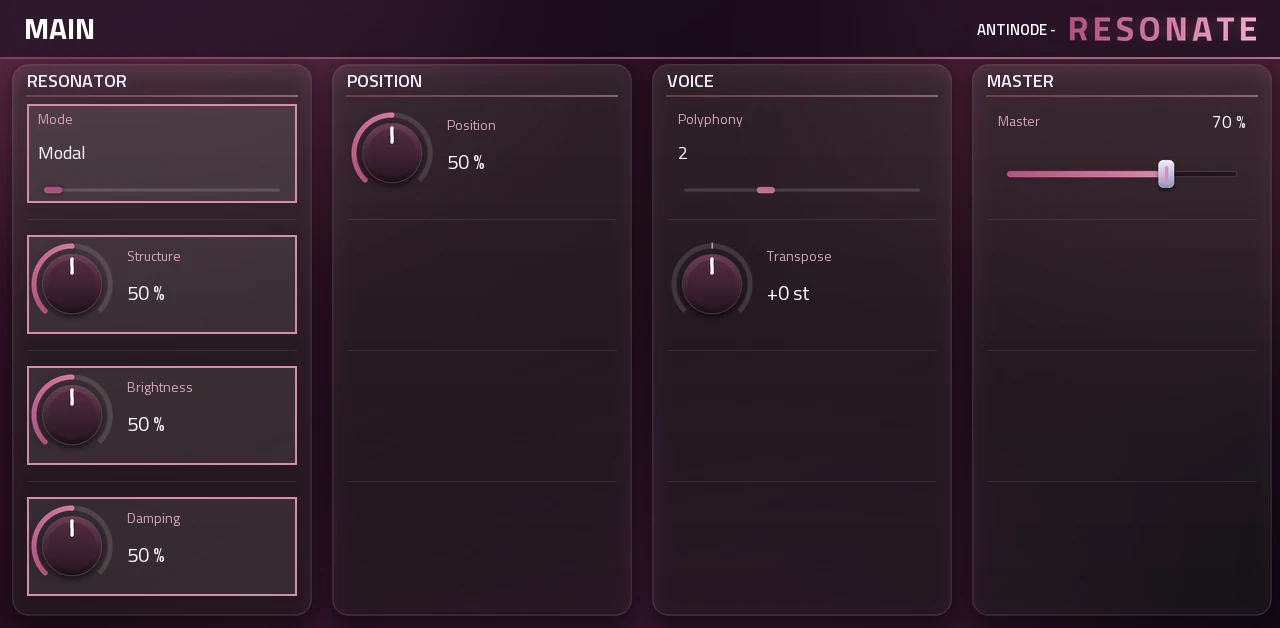
Bowed strings, bells and reeds without a single oscillator: a resonator bank excited by each note. Structure retunes the modes, brightness and damping place the material, position moves the excitation. Eight controls, and all of them matter.
Main page on the MPC touchscreen
Engine
Modal / string resonator synthesis
Parameters
8
Factory presets
32
Engine credit
Derived from open-source DSP by Émilie Gillet (MIT); licence and credit ship with the plugin
Texture
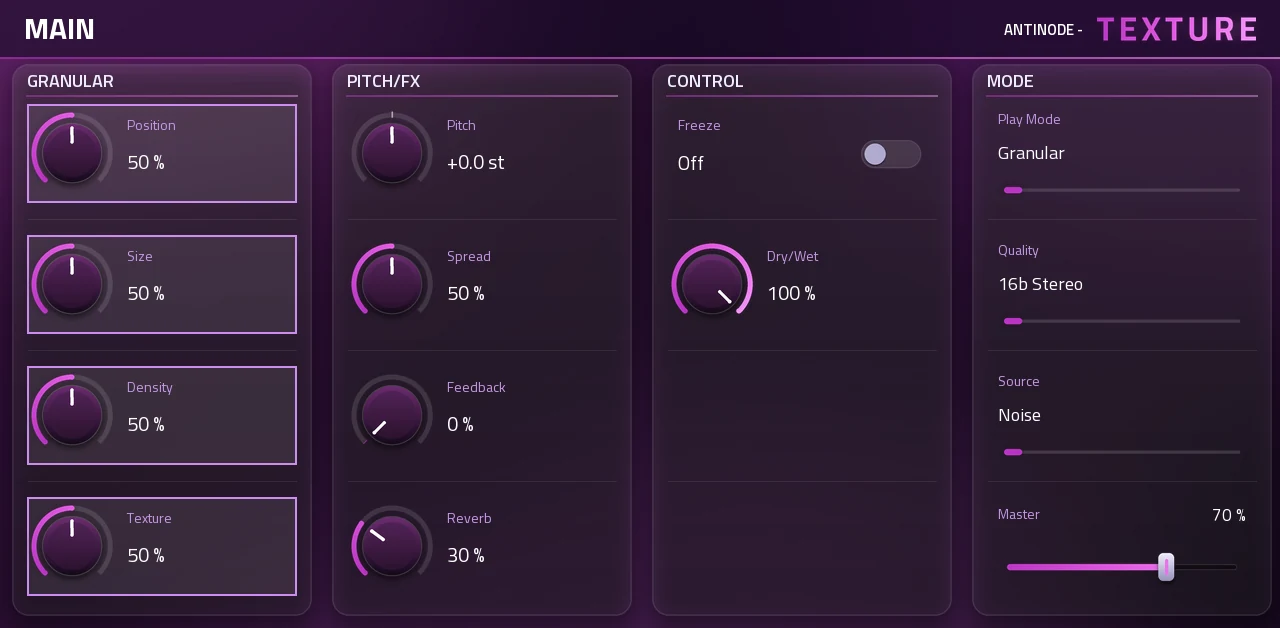
A granular processor as an instrument: four play modes (Granular, Stretch, Looping Delay, Spectral), a Freeze switch, and feedback that turns a pad into a drone. Because MPC plugin slots do not feed it audio, it carries its own source — noise or a pair of detuned saws — granulated from there.
Main page on the MPC touchscreen
Modes
Granular, Stretch, Looping Delay, Spectral
Parameters
14
Factory presets
32
Source
Internal (noise / detuned saws / mixed)
Engine credit
Derived from open-source DSP by Émilie Gillet (MIT); licence and credit ship with the plugin
Installing on an MPC
Copy the product folder to a drive — USB, SD, or the MPC's internal storage — into a folder named exactly VST2 Plugins at the top level of that drive. Create it if it is not there yet.
On the MPC, open Preferences → Enhancements (Beta) and switch on Enable Enhancements and External Plugin Support. Plug the drive in (or restart the MPC if the plugin does not appear).
The instrument shows up in the browser under External Plugins. Make a Plugin program, pick it, play it from the pads or a keyboard.
Each product zip carries the full step-by-step with the exact folder layout.
Questions
Which MPCs are supported?
Any MPC standalone whose firmware loads external VST2 plugins via External Plugin Support. The line is built and tested on Windows for the arm32 and arm64 MPC targets and first validated on hardware on an MPC Key 61; as validation widens across models this page will say so.
Do these run on Windows too?
PHIZZ, TeeJee and Spektra-5000 have separate Windows versions with their own pages. The MPC Line is built specifically for MPC standalone hardware.
What about Macro, Resonate and Texture on desktop?
They are MPC-line instruments for now. If they come to the desktop, the launch email is where that gets announced.
How are they edited?
On the MPC itself: each instrument's parameters are arranged into pages you step through with the function keys and turn with the Q-Link knobs. No computer needed after installation.
One email when the store opens.
Leave an address and you get the opening email, the launch price, and the free Discovery Pack: sixteen K5000 one-shots rendered from Spektra-5000, 24-bit WAV.
No sequence, no sharing, one-click unsubscribe. Privacy.